

How to Maintain Audience Attention with Varied Visuals and Vocal Tone Changes
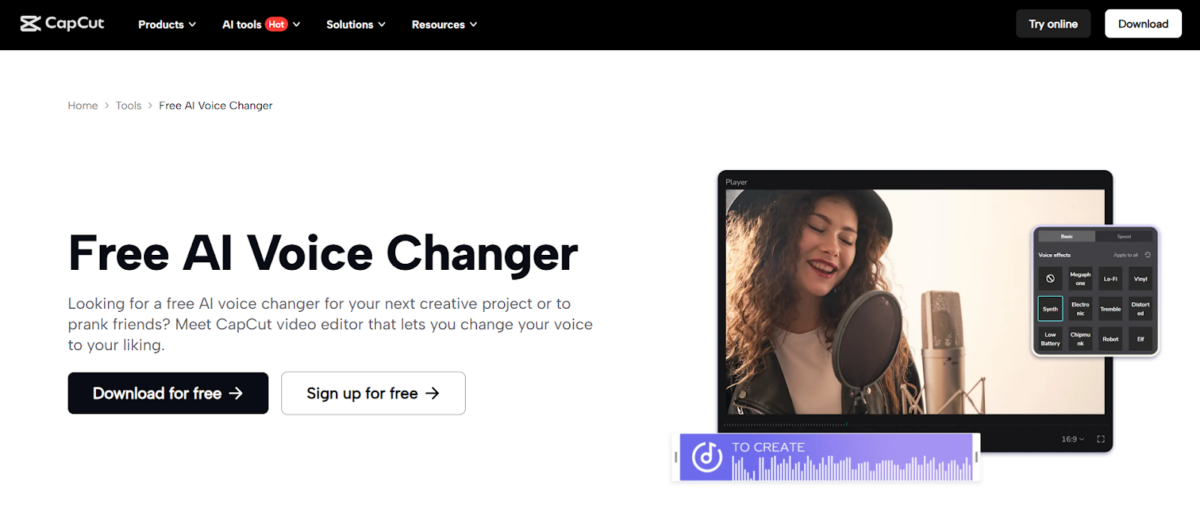
Retaining your viewers in the current digitised world is an art. What you once filmed as a two-minute tutorial, vlog, branded content, or a humorous social media clip now has a shorter attention span than ever before. This implies that you cannot get content that is pure information; you must have graphics, sound, and the kinds of editing jobs that will keep the audience desiring to watch till the very end.
All you can do in CapCut Desktop Video Editor. You can easily weigh the style and substance by adding diverse visuals and imaginative transitions; tweaking narration using its voice changer feature; and so on. This tutorial will discuss the strategy of using visuals to tell your stories and voice to emphasise them through the use of changes in tonal meanings.
Why Varied Visuals and Vocal Tones Matter
Viewers not only desire content, but also to experience that content. There is a rhythm and excitement that is formed through visual variation and voice intonation. Breaking the monotony by the addition of slides, images, and short clips can be effective, but the intonation of the voice can help highlight something important or add some humour, as well as create suspense.
You can effortlessly blend various visuals and adjust audio in a single location with the powerful video editing software of CapCut, so that every second of the video keeps the viewer interested.
Introducing Operational Steps
We will step-by-step follow the easy five-step procedure of creating videos using CapCut Desktop by using diverse visuals coupled with varied tones of voice to captivate the audience. CapCut also provides an online photo editor, which you can try for free!
Step 1: Launch CapCut and Import Your Content
Begin with the CapCut Desktop and make a new project. Prepare all the raw materials you will need: video clips, pictures, presentation slides, and sound files. Your media can all be dragged and dropped into the media library in this CapCut. When you have everything combined, it becomes easier to plan where the visuals need to change and where to add impact through changes in the tone of voice.
Step 2: Arrange and Mix Visual Elements
Then drag the clip and photo in the order in which you would like them to appear on the timeline. Long stretches of one visual should be avoided so as to keep attention. Rather, you should divide your key video into slides, cutaway shots, or photo overlays. And you may even add brand-consistent graphic filters. CapCut simplifies this task by allowing you to see changes as you drive and have a natural flow between different images.
Step 3: Enhance Narration with Vocal Tone Changes
The built-in voice changer of CapCut also allows you to play around with the pitch, tone, and effects of your narration to make it a livelier affair. An example: get more excited as you present a new point, or be less so as you clarify some key details. Minor variations in intonation ensure you have something to do other than reading off the paper to make your points sound less flat and higher.
Step 4: Add Music, Sound Effects, and Transitions
There is an additional level of engagement with background music and sound effects. Along with almost every topic, the library offered by CapCut lets you choose the music aligned with the style of a tutorial: bright during some educational sessions, soothing when offering some information, or upbeat when creating simple vlogs.
Step 5: Export and Share Your Finished Video
Lastly, when you see that all the images-visuals, narration, and audio effects are in place, then export your video in high quality. With CapCut, you have choices on the platform you want to use, regardless of whether it’s YouTube, TikTok, or social media stories. By doing this, time is saved as everything is controlled within a single editor, whilst still producing a refined end product that keeps the audience constantly entertained.
Benefits of Using CapCut for Audience Engagement
Combining the visual aspect with changing the voice tone: CapCut Desktop has several advantages:
Beginner-Friendly Workflow – Visuals and audio can be dragged and dropped to be edited by even novice creators.
Dynamic Audio Tools – The voice changer offers the ability to change the narration dynamically without having to use external software.
Integrated Visual Editing – Beautiful Stationery has edited the picture, images, or photographs; no need to exit the CapCut software afterward.
Professional Quality – You don’t need to spend time adjusting your content: high-resolution exports, cross-fades, and personal branding all make you look and sound like a professional.
Time-Saving Solution – You can edit audio and photos in one place, making your imagination and creativity work much more easily.
Tips for Maximising Impact
- Keep Clips Short – Visuals that are too long get boring. Split them up into smaller or attention-grabbing sections.
- Highlight Key Points with Tone – Emphasise the most significant details by accentuating them with the help of the voice intonation rather than restating.
- Match Audio to Visuals – Align background music with scene changes for a cinematic flow.
- Maintain Brand Consistency – CapCut has text, stickers, and filters that would strengthen your brand.
- Test Different Styles – Try out images and colours to determine which ones will appeal most to your viewers.
Conclusion
It is not just about fancy edits to keep the audience engaged, but rather finding the equilibrium between the visuals inside the video and the voice. CapCut Desktop accomplishes this without any difficulties by having an in-built voice changer, video editing software capability, and online photo editing tools. These factors will all play off well together to ensure that your audience is never bored during your next broadcast.
Whether you are a YouTuber, instructor, or the creator of social media content, these tricks can assist you in making ordinary videos great experiences. The trick is not to give up, but to continue trying the visuals and tones and find which one works the most and matches the audience.

We have recently deactivated our website's comment provider in favour of other channels of distribution and commentary. We encourage you to join the conversation on our stories via our Facebook, Twitter and other social media pages.

More from Peoples Gazette

Agriculture
FG tasks ECOWAS on leveraging financing strategies for agroecology
The federal government has urged stakeholders in the agriculture and finance sectors in the West Africa region to leverage financing strategies to enhance agroecology practices

Politics
Katsina youths pledge to deliver over 2 million votes to Atiku
“Katsina State is Atiku’s political base because it is his second home.”

Rights
Gov Bago relaxes curfew amid tension over NSCDC’s alleged killing of miners
The governor appealed to residents to remain law-abiding and responsible citizens as the government continues to work to improve their well-being.

Sport
Awoniyi replaces injured Osimhen in Super Eagles squad for AFCON 2027 qualifiers
Coventry City striker Taiwo Awoniyi has replaced injured Victor Osimhen in the Super Eagles squad for Nigeria’s 2027 Africa Cup of Nations qualifying matches this month.

Opinion
Deaths that have become ordinary
The citizens who died in Odigbo were not numbers. Neither were the 37 people who died in Niger.

Lagos
Lagos directs evacuation from flood-prone areas
The Lagos government said the directive followed a fresh seven-day flood alert issued by the Nigerian Hydrological Services Agency.

Politics
Navy chief urges cadets to uphold democratic values
The chief of training (Nigerian Navy) has charged passing-out cadets of the Nigerian Defence Academy to uphold democratic values and safeguard Nigeria’s national interests.

States
NCAC, Enugu to host NAFEST 2026
NCAC is collaborating with the Enugu government to host the 2026 National Festival of Arts and Culture to promote national unity and cultural diversity.


